This blog written by Joe Amlung. Joe is a Technical Advisor for the Regenstrief Institute’s Global Health Informatics team. He has focused on terminology management for several years, particularly by working with the Open Concept Lab (OCL) tools and the OpenMRS and OpenHIE Terminology Services community. He works work community members to help them adopt terminology as part of their work, leading to standardizes data for better interoperability.
This blog post serves as a guide for new OpenMRS users who want to use the OCL TermBrowser for concept dictionary management. It also aims to help previous users of the OpenMRS Dictionary Manager, who are now transitioning to use the TermBrowser.
It first helps to know when to make a source vs. a collection in OCL. Both of these are types of OCL repositories that hold terminology content. There are key differences, however, as described below:
| Term | Definition | Example | When to use |
| Collections |
|
Collections are similar to a music playlist. A playlist consists of music from many different artists, but the playlist usually has a specific purpose, such as a road trip playlist. |
|
| Sources |
|
Sources are similar to a music album. An album is created and owned by its musician or artist; similarly, a source is created and managed by you or your organization. |
|
For previous Dictionary Manager users, any dictionary that you created in that tool will exist in OCL in two parts: a source and a collection. You can access these by logging into OCL TermBrowser using your same credentials as the Dictionary Manager.
OCL TermBrowser is a great place to explore the CIEL interface terminology. This is a concept dictionary with many key concepts that OpenMRS users require, and you can work with CIEL to get your custom concepts added if they would be useful to other implementations. Below are some tips and resources with best practices for creating and using concepts in OCL.
For more information on what sources and collections are, along with other terms like “concept” or “mapping”, view the Intro to OCL Collection video on the OCL YouTube.
Integrating using the OpenMRS Initializer Module (Iniz)
To start up your OpenMRS instance using a source or collection from OCL, the OpenMRS Initializer Module (Iniz), follow the instructions laid out here: https://github.com/mekomsolutions/openmrs-module-initializer/blob/master/readme/ocl.md
This YouTube video will also walk you through how to use this tool. Note that any references to the Dictionary Manager are outdated; the OCL TermBrowser should be used instead.
Subscription Module: Subscribing OpenMRS to your source or collection
The OpenMRS Subscription Module allows you to subscribe your OpenMRS instance to an OCL source or collection. Shown below is a quick visual guide on how to use this module:
- 1. First, add the module to OpenMRS. You should be able to see a Open Concept Lab section in Administration page.


Then you will see a screen like this:


- 2. The “Subscription URL” field requires the URL of the OCL source or collection. You should first create a version of that source or collection. It is also recommended that you release that version. Then, the URL can be found on the Versions tab of your source or collection in the TermBrowser:


- 3. The “Token” field in the Subscription module can be found on your user profile page in OCL, which can be accessed at the top-right corner of the screen.


Quick Tips
Creating a source and collection in OCL:
- OCL recommends using the OpenMRS Validation Schema, which will help to ensure that concepts in this source and collection meet the validation criteria needed to import them into OpenMRS. More information about these validation rules can be found here: https://talk.openmrs.org/t/defining-our-concept-validation-rules-for-ocl/33508/
- OpenMRS recommends that OCL sources use the following ID Auto-Assignment options (found in the Advanced Settings section):
-
- IDs (including Concept IDs and Mapping IDs) should be “Sequential”. With this option, OCL will automatically assign an ID when you create a concept or mapping, rather than requiring the user to specify one.
- External IDs (both for concepts and mappings) should use the “UUID” option. This will tell OCL to automatically assign a unique UUID as the external ID when creating a concept or a mapping.


Adding Concepts to your Collection
- You can find CIEL concepts using OCL’s search feature, or even better, go directly to the CIEL source to begin searching. Use the “Add to Collection” button to start gathering up the CIEL concepts you need.
- When you “Add to Collection”, you will get a prompt that asks if you would like to also include associated concepts and mappings. You can use the “OpenMRS-compatible Cascade” option if you want to pull in all the concepts from a Concept Set, a Lab Set, etc. This option will also include the Answers if you add a Question concept to your collection as well as any maps to standard codes like SNOMED CT or ICD.
- For more information about how to make and use collections in OCL, see our YouTube playlist.


Creating Concepts
- Before creating a concept, it’s recommended that you search CIEL thoroughly to ensure that there is no equivalent concept that already exists. You can search for concepts based on text (try reducing the number of characters to ensure you are not misspelling the name), or based on mapping (if you know the ICD or SNOMED code, you can search for all CIEL concepts that map to that code(s)).
- Follow the OpenMRS Concept Best Practices guide if you have questions about how to create or model your new concepts.
-
- OpenMRS also has guides specifically for Concept Classes and Data Types
Creating mappings
- OCL has a “Add new mapping” feature, sometimes called a Quick Add. We recommend using this feature to quickly add your answers or to create mappings to another terminology like LOINC, ICD-10, CIEL, etc.
- Note that this only works when the concept already exists, so be sure to create your answers in your source before adding them as answers to your questions!


Creating Concept Sets
- OCL treats Concept Set relationships as a type of Mapping. Meaning, you can create Concept Sets, Lab Sets, etc. using the “Add New Mapping” feature.
- You can do the following to create a Concept Set:
- Create a concept that is of class ConvSet, LabSet, etc.
- If you haven’t already, create the concepts that will be included in that set.
- Open the new “Set” concept and add your concepts with the “Add New Mapping” feature, using map type CONCEPT-SET
- Now your concept serves as a grouping concept, which helps to organize your dictionary.
Importing lots of concepts
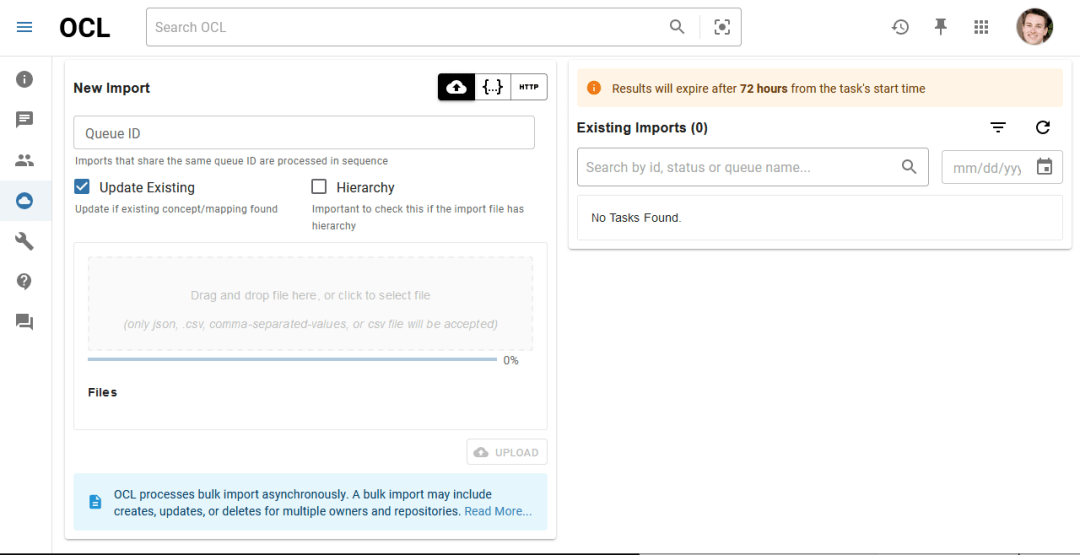
- If you have lots of concepts to create or to put into a collection, OCL allows you to import those concepts using a CSV or JSON file as part of its Bulk Import page.
- Documentation for this feature can be found here: https://docs.openconceptlab.org/en/latest/oclapi/apireference/bulkimporting.html